Launch monitor · Simulator · Swing analysis

The launch monitor
you already own

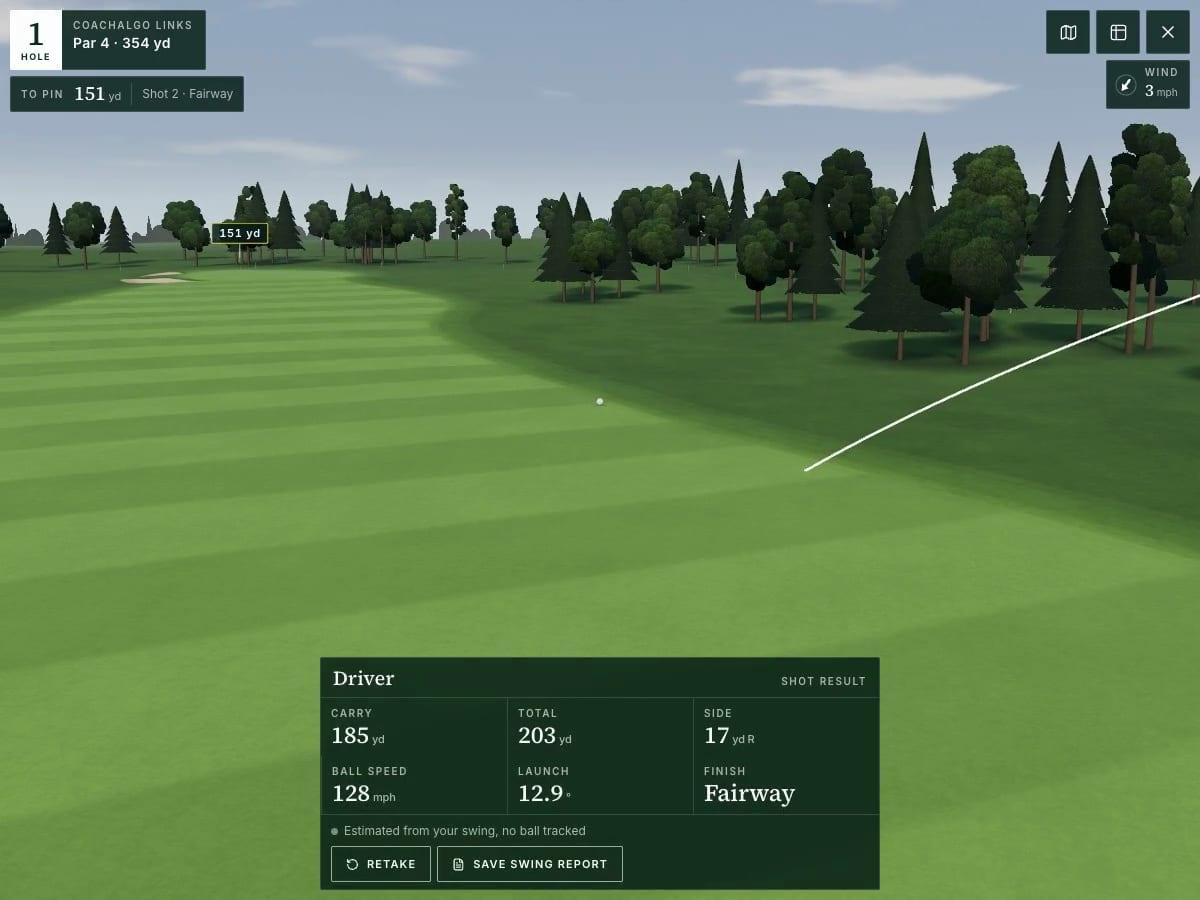
Set your phone behind you and hit. The camera measures each shot and plays it out on a 3D course, and it can break down your swing when you want a closer look.

No sign-up needed to try the range or play a round.

  • Range or backyard

    Hit real balls at the range or make practice swings at home.

  • Almost free

    It’s free to start, and there’s no hardware to buy.

  • No app needed

    It runs in Safari or Chrome on your phone or iPad.
01Launch monitor

Ball speed and launch, shot by shot

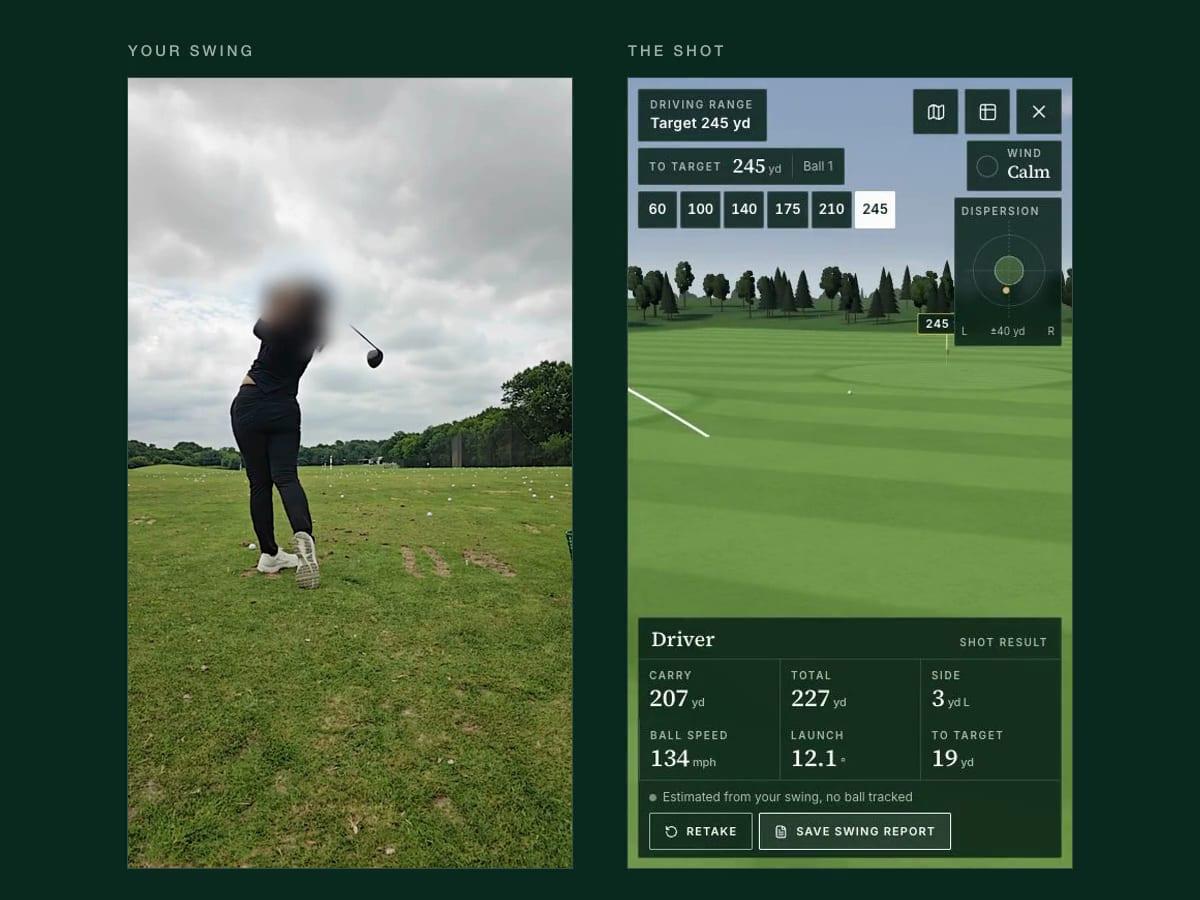
Set your phone behind you and swing. The camera reads your swing, and when it can see the ball clearly it tracks it off the club, so every shot comes back with ball speed, launch, and distance.

  • Ball speed and launch angle
  • Carry, total, and side distance
  • Without a ball, the shot is estimated from your swing
  • Ball tracking is still in beta

02Simulator

Play every shot on a 3D course

Warm up on the range, then take the same swing to the first tee.

  • A Driving Range with session stats, and a Daily Hole everyone plays
  • The forgiving CoachAlgo Academy, free to play, and the championship CoachAlgo Links
  • Every club from driver to sand wedge
  • Every green adds two putts automatically

03Swing analysis

See your swing in detail

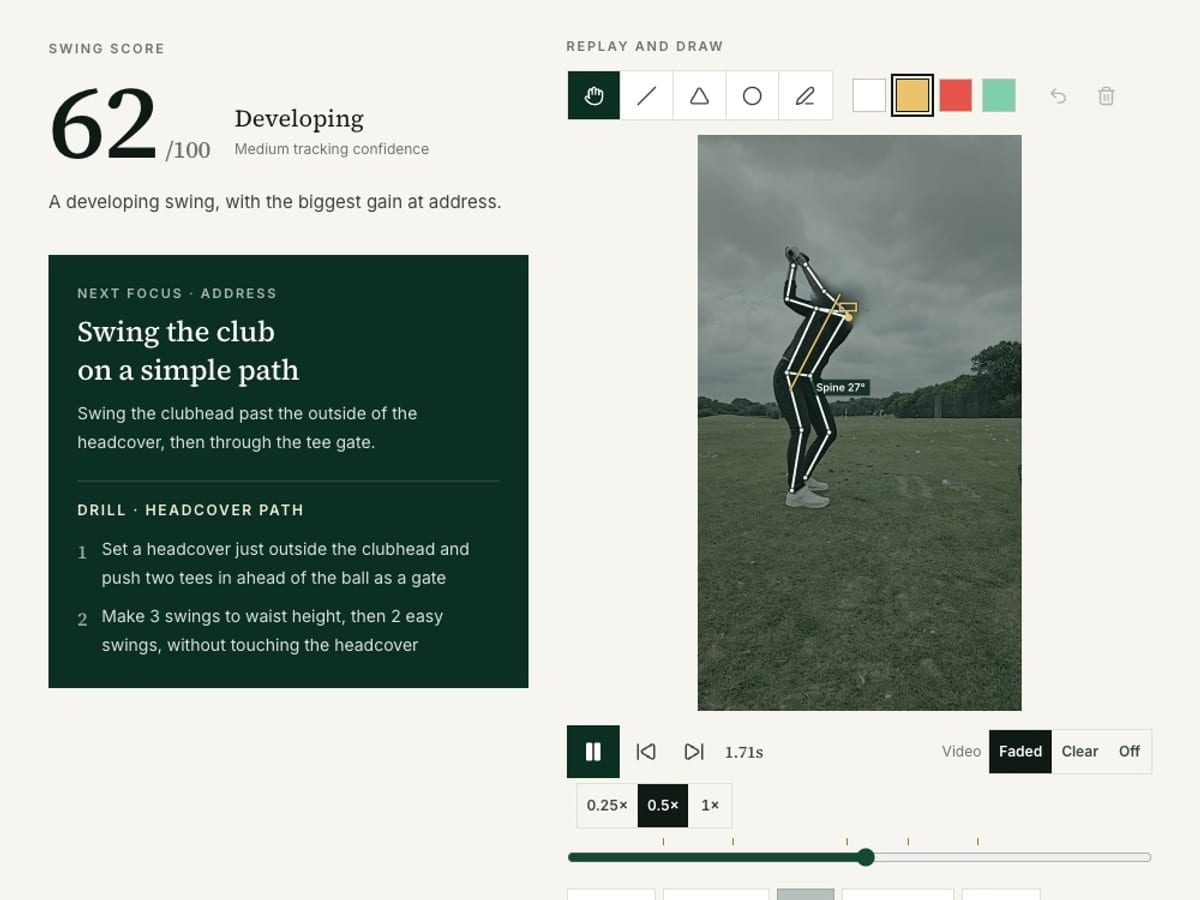
Film one swing from behind. CoachAlgo finds the key positions in your swing, scores four areas, and gives you one drill to work on next.

  • Frame-by-frame playback down to ¼ speed
  • Lines, angles, circles, and freehand drawing
  • Automatic spine, head, shoulder, and hip guides
  • Compare two swings side by side

How it works

Three steps to your first round

  1. 1

    Set up

    Stand your phone about 3 m behind you on the target line, with the ball and your whole body in view.

  2. 2

    Hit

    Use a real ball or just make a practice swing. The camera reads your swing, and the ball’s launch when there is one.

  3. 3

    Play and review

    Check your numbers and watch the shot play out. You can save any camera swing as a swing report.

Ball numbers are estimates from the camera and are less precise than a dedicated launch monitor. Without a ball, each shot is estimated from your swing.

Membership

Start free, upgrade to Pro anytime

Compare plans

Free

  • Launch monitor and Driving Range
  • Daily Hole and the full Academy
  • First 3 holes of the Links
  • 3 swing reports a week
  • Drawing tools and progress charts

Pro Members

  • All nine holes of the Links
  • Unlimited swing reports
  • Side-by-side swing comparison

Questions

Good to know

Do I need any hardware?+

No, just your phone. A small tripod helps, but anything you can lean it against will do.

How accurate is the ball flight?+

With a ball in view, the camera measures ball speed and launch, though less precisely than a dedicated launch monitor. Without a ball, the shot is estimated from your swing.

How does putting work?+

Putting is automatic for now. Once your ball stops on the green, two putts are added to your score.

Where can I swing?+

Anywhere with at least 2 m of clear space around you and the club. Indoors, make a slow swing first to check the ceiling, and use a short club, a swing trainer, or a foam ball.

Is my video uploaded?+

No, your video stays on your device. Your account keeps your scores and rounds, along with the body-position data used for replays.

Which phones does it work on?+

It works on recent iPhones and Android phones in Safari or Chrome, and on iPad as well.

Can I cancel Pro anytime?+

Yes. Cancel in Account & settings and you keep Pro until the end of the period you’ve paid for.

Start with the swing you have